
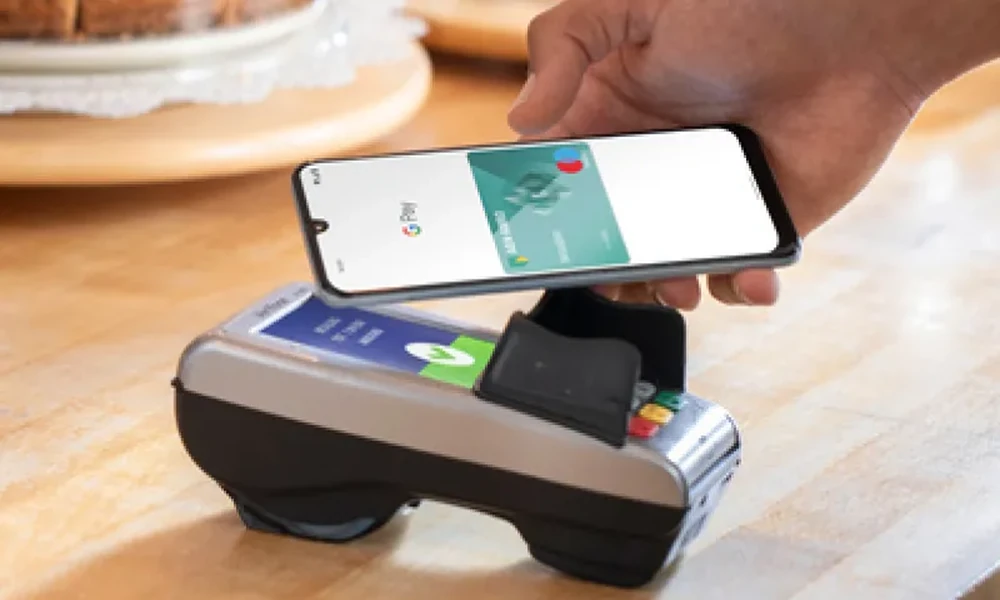
A dth mobile app can help users manage television recharge, subscriber details, payment history, and account-related information from one digital interface. Instead of visiting a physical outlet or relying on multiple websites, users can often recharge their DTH connection directly from a mobile device.
The strongest experience combines convenience with accurate subscriber information, clear plan details, secure payment processing, and visible transaction status. Users should verify the DTH account or subscriber ID before confirming a payment because an incorrect entry can result in the recharge being applied to the wrong account.
Subscriber Details Should Be Verified First
Before making a DTH payment, users should confirm the correct subscriber information.
This may include:
- Subscriber ID
- Registered mobile number
- Operator
- Account details
Saved accounts can make repeat payments faster.
However, users should still verify the information before confirming the recharge, especially when managing more than one DTH connection.
Recharge Amount Should Match The Account Requirement
DTH users may have different payment requirements depending on their subscription.
These may vary based on:
- Channel package
- Add-on services
- Account balance
- Subscription period
A user should avoid entering an arbitrary amount without checking the current account requirement.
Clear payment information helps reduce overpayment or underpayment.
Plan Information Should Be Easy To Review
A useful DTH platform should make package-related information easy to understand.
Users may want to review:
- Current package
- Add-on channels
- Validity
- Recharge amount
This can help them decide whether to continue with the existing package or make an eligible change.
Users should also confirm the final amount before payment.
Payment Status Should Be Clearly Visible
Once a DTH recharge is submitted, the app should show whether the transaction is:
- Successful
- Pending
- Failed
This is important because a pending payment may take time to update.
Users should avoid immediately repeating the payment until they know whether the first transaction was completed.
Clear transaction status can reduce duplicate payments.
Transaction History Helps With Verification
A DTH app can provide a useful record of previous payments.
This may include:
- Recharge date
- Amount
- Subscriber account
- Payment status
The history can help users confirm whether a previous payment was completed.
It can also make household expense tracking easier when several subscriptions are being managed.
An App Loan Serves A Different Financial Purpose
An app loan may provide access to borrowing, while a DTH platform is mainly designed for account and recharge management.
Users should keep these services separate.
Borrowing should involve careful review of:
- Interest
- Fees
- Repayment period
- Total repayment amount
A routine DTH recharge should not automatically become a reason to borrow unless the user has properly considered the repayment obligation.
Digital Payment Security Matters
DTH recharge transactions may be completed using supported digital payment methods.
Users should protect:
- OTPs
- UPI PINs
- Passwords
- Banking credentials
These details should never be shared with unknown individuals.
Users should also avoid payment links sent through suspicious messages or unofficial customer-support channels.
QR Or UPI Payments Still Need Verification
If the platform supports UPI or QR-based payments, users should verify the final payment details before authorising the transaction.
Check:
- Merchant name
- Amount
- Subscriber details
- Payment method
A fast payment flow should not remove basic verification.
One incorrect confirmation can create unnecessary refund or support issues.
Failed Payments Should Be Checked Before Retrying
If a payment fails, users should first review whether the amount was actually debited.
They should check:
- Transaction history
- Bank or payment account
- DTH account status
If the payment is still being processed, another recharge attempt may result in duplicate payment.
The safer approach is to confirm the original transaction status first.
Recharge Reminders Can Help Avoid Service Disruption
A DTH app may provide reminders when a recharge is due.
This can be useful for households that want to avoid interruptions.
Useful reminders may include:
- Low balance
- Upcoming due date
- Recharge confirmation
Users should still review the amount and package before completing the payment.
Automation should not replace periodic account checks.
Saved Accounts Can Simplify Family Management
One user may manage DTH connections for:
- Home
- Parents
- Other family members
Saving subscriber details can reduce repeated data entry.
However, each saved account should be clearly labelled to avoid selecting the wrong connection during payment.
Simple account organisation improves repeat-payment accuracy.
Offers Should Remain Secondary
Some platforms may display cashback or promotional offers for DTH recharge.
These can be useful, but they should not become the main reason to select a payment amount or service.
The first priority should remain:
- Correct account
- Correct recharge amount
- Appropriate package
A promotional benefit is useful only when the underlying transaction is already needed.
Account Changes Should Be Reviewed Carefully
Users may sometimes change:
- Channel package
- Add-ons
- Subscription preferences
After making changes, they should verify whether the recharge requirement has also changed.
Relying on an old payment amount may no longer be appropriate.
The app should make current account information easy to understand.
Official Support Channels Matter
Users may need support if:
- Recharge does not reflect
- Payment remains pending
- Subscriber details appear incorrect
- Account access fails
They should use official support options provided by the service or payment platform.
Sensitive information should not be shared with unknown callers or unofficial support numbers.
Payment App Access Should Keep The Process Simple
A payment app can make DTH recharge faster by combining account selection, payment authorisation, transaction history, and confirmation within one digital flow.
The strongest experience keeps payment details clear and allows users to verify the transaction without unnecessary steps.
Convenience is most useful when accuracy and security remain intact.
Conclusion
A dth mobile app can simplify television subscription management by bringing recharge, account details, payment status, and transaction history into one place.
Users should verify subscriber information, review the correct recharge amount, check payment status before retrying failed transactions, and protect sensitive credentials. Saved accounts and reminders can improve convenience, but they should still be reviewed periodically.
A reliable DTH payment experience should be easy to manage, easy to verify, and secure from start to finish.
FAQs
1. What Is A DTH Mobile App?
A DTH mobile app is a digital platform that may allow users to manage eligible DTH account details, recharge payments, and transaction records.
2. What Should I Check Before Making A DTH Recharge?
Verify the subscriber ID, operator, recharge amount, and payment method before confirming.
3. What Should I Do If The Recharge Shows Pending?
Check the payment and account status before attempting another recharge to avoid duplicate transactions.
4. Can One App Manage Multiple DTH Accounts?
Many platforms may allow users to save and manage more than one eligible subscriber account, depending on the features offered.
5. Are Promotional Recharge Offers Always Useful?
Not necessarily. The correct account and recharge amount should come first, while offers should remain an additional benefit.