
A data center overheats in one corner. An atrium feels stuffy despite a powerful HVAC system. A new product enclosure traps heat around a critical chip. In each case, the problem could have been spotted and fixed on a screen long before anything was built.
That’s the promise of computational fluid dynamics (CFD): simulating how air, liquids, and heat move through a space or around an object. Engineers, architects, and product designers use it to test ideas virtually, compare design options, and avoid costly surprises. But the right results depend on choosing the right tool, and the options range from free open-source solvers to enterprise suites costing tens of thousands of dollars a year.
What CFD actually does
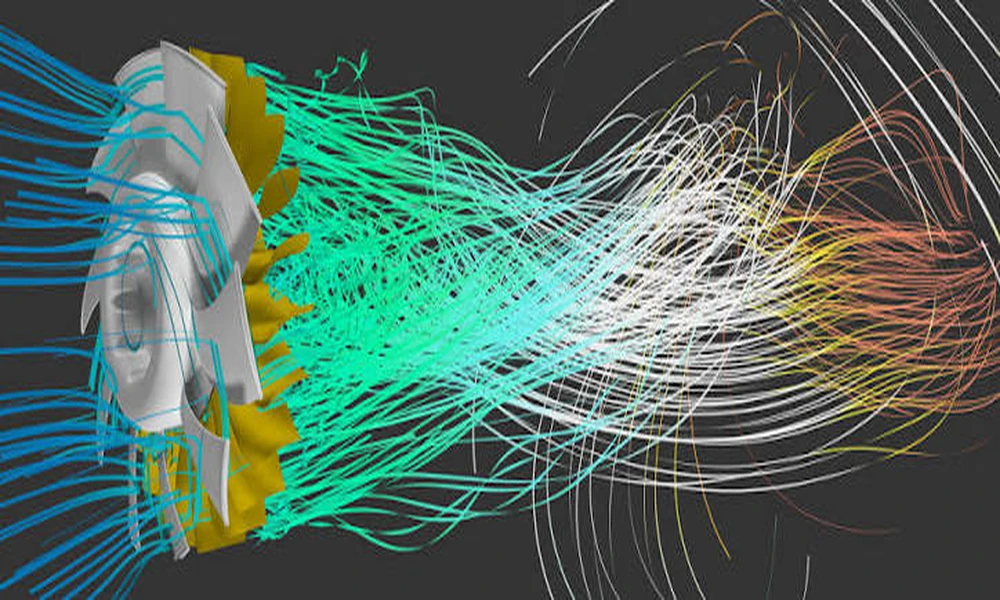
CFD breaks a space or object into many small cells, called a mesh, and numerically solves the equations that govern fluid flow and heat transfer in each cell. The output shows velocity, pressure, temperature, and other quantities throughout the model, usually as color maps, streamlines, and animations.
Common applications include:
- Building ventilation and comfort: airflow, temperature distribution, and air quality in rooms, atriums, and offices.
- Data centers: hot and cold aisle performance and cooling efficiency.
- Wind engineering: pedestrian comfort around buildings and wind loads on façades.
- Electronics cooling: heat sinks, fans, and enclosure layouts.
- Industrial processes: mixing, combustion, pumps, and pipe flow.
- Automotive and aerospace: aerodynamics and thermal management.
- Smoke and fire modeling: how smoke spreads and whether escape routes stay clear.
The main categories of CFD tools
CFD software broadly falls into a few groups, each with its own strengths.
General-purpose commercial solvers are powerful, validated, and able to handle almost any physics, from turbulence and combustion to multiphase flow. They come with extensive support and documentation but carry significant licensing costs and a steep learning curve.
CAD-embedded CFD tools run inside familiar design software. They’re built for designers and engineers who want quick answers during product development, often with automated meshing and guided setup. They trade some depth and flexibility for speed and ease of use.
Open-source solvers are free to use and highly customizable, with large user communities. They can match commercial tools in capability, but setup often involves text files and scripting, and support comes from forums rather than a vendor.
Cloud-based platforms run simulations on remote servers through a web browser. They remove the need for expensive local hardware and often use pay-as-you-go pricing, which suits teams that simulate occasionally.
Specialized tools focus on particular applications, such as building airflow, electronics thermal management, or fire and smoke. They include ready-made components and workflows for their niche.
Questions to ask before choosing
What physics do you actually need?
Start with the problem, not the software. Are you modeling simple internal airflow, or do you need conjugate heat transfer between solids and fluids, radiation, moving parts, or multiphase flow? Make a list of must-have physics and check which tools handle them reliably.
Who will run the simulations?
A dedicated CFD specialist can get the most out of a complex general-purpose solver. A mechanical designer or architect who runs occasional studies will be more productive with a guided, CAD-integrated tool. Be realistic about the skills and time available.
How does it fit your design workflow?
Check compatibility with your CAD or BIM software. Tools that import geometry cleanly, or run directly inside your design environment, save hours of geometry cleanup, which is often the most time-consuming part of a simulation.
What hardware and budget do you have?
Detailed simulations can require significant computing power and memory. Factor in the cost of workstations or high-performance computing, not just licenses. Cloud platforms can be more cost-effective for occasional heavy jobs.
How important is validation?
For safety-critical or regulated work, choose tools with a strong track record of validation against experiments and established benchmark cases. Check whether the vendor publishes validation studies relevant to your application.
What support and learning resources exist?
Tutorials, training courses, active user forums, and responsive technical support can make the difference between a tool your team actually uses and one that gathers dust. The CFD-Wiki from CFD Online is a helpful free reference for understanding methods, turbulence models, and best practices, whichever software you choose.
Getting reliable results, whatever the tool
No software can rescue a poorly set up simulation. A few fundamentals apply across the board:
- Simplify geometry sensibly. Remove small features that don’t affect the flow, like screws and tiny fillets, but keep everything that matters.
- Check mesh quality. Refine the mesh where gradients are steep, such as near walls, inlets, and heat sources, and run a mesh independence study to confirm results don’t change with further refinement.
- Choose appropriate turbulence models. Different models suit different flows. Understand the assumptions behind the one you pick.
- Set realistic boundary conditions. Inlet velocities, temperatures, heat loads, and pressures should reflect real operating conditions.
- Monitor convergence. Watch residuals and key values, such as outlet temperature, to confirm the solution has settled.
- Validate against reality. Compare results with measurements, hand calculations, or published data whenever possible.
Matching tools to common scenarios
- An architecture firm checking natural ventilation in early design may prefer a fast, easy tool, possibly cloud-based or integrated with BIM, to compare options quickly.
- A product team designing electronics enclosures often benefits from CAD-embedded thermal tools with built-in component libraries.
- A research group or consultancy tackling unusual physics may choose an open-source solver for flexibility, or a general-purpose commercial solver for depth and support.
- An engineering firm with complex, high-stakes projects will usually invest in a validated general-purpose suite and the computing power to run it.
Start small and scale up
Most vendors offer trial licenses, and open-source and cloud options make experimentation affordable. Run a representative test case from a real project on your shortlisted tools. Compare setup time, ease of use, solve time, and how well the results match known data. That hands-on test will tell you more than any feature comparison table.
The bottom line
Simulating airflow and heat before you build can prevent expensive mistakes, improve comfort and performance, and speed up design decisions. The best CFD tool isn’t the one with the longest feature list. It’s the one that handles your physics, fits your team’s skills and workflow, works within your budget, and produces results you can trust. Define the problem clearly, test a few options on a real case, and choose the tool that helps your team make better decisions, sooner.